Firstly, click on the ‘Book Now’ button to access our booking platform. Then, you will need to select the service(s) you require.
If you are not sure which services you will need, or would like more information on pricing before you book, please get in touch using the ‘Contact Us’ button.
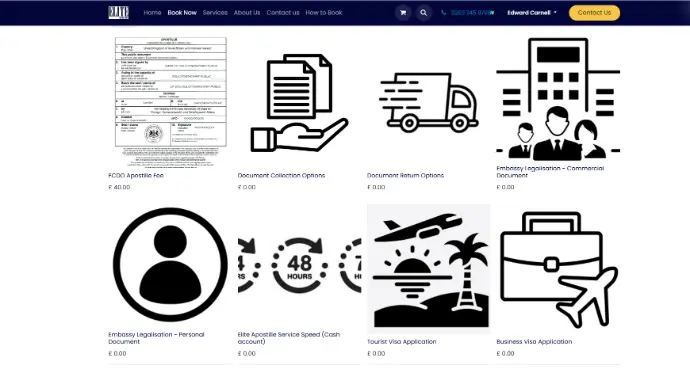
Booking FCDO Legalisation
Either click on the product, or hover your mouse over it, to see the ‘Add to Cart’ button.
Each legalisation booking will need a minimum of:
- 1 FCDO Apostille fee, charged by the UK government
- 1 choice of service speed - this is our fee, with 24h/48h/72h/5 day/10 day options
- 1 document collection option - post in or have your document collected
- 1 document return option - your choice of postal returns
Most embassy legalisations will also require FCDO legalisation prior to submission. If you are not sure about this, please call us.
Booking Embassy Legalisation
If you have a document requiring embassy legalisation, please click on whether it is commercial or personal.
The product page will then have a list of embassy options you can select, before adding to your cart. If the embassy you want is not listed, please call us. We do not list pricing for individual embassies as this is subject to frequent change. We will tell you the precise costs for your document and embassy.
Most embassy legalisations will also require FCDO legalisation prior to submission. If you are not sure about this, please call us.

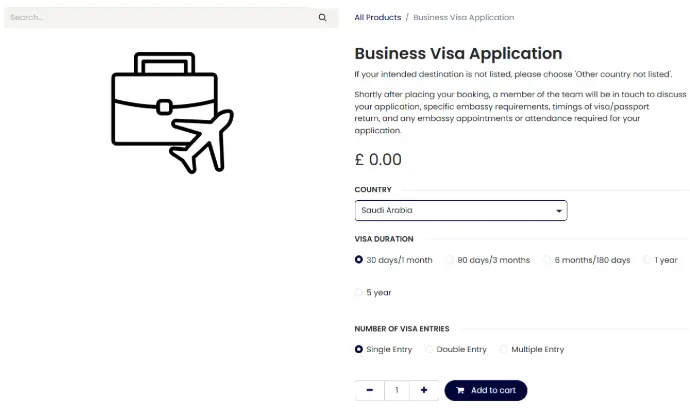
Visa & Passport Bookings
For visa and passport bookings, please select the relevant product: tourist visa, business visa, or passport services. You will be able to select the country, length of stay and other options on the product page.
We do not display pricing for visas and passport services because these are highly variable depending on your nationality, reason for travel, intended destination etc.
Once you submit your booking we will prepare a personalised quote for you.
Checkout Process
Once you have clicked ‘Proceed to Checkout’, your page will look like this. Please review your booking at this stage to ensure you have the desired number of documents selected, along with the correct service speed, collection, and return options.
Next, you fill in your contact details. If the document is at a different address to your location, you can input this on the next page.

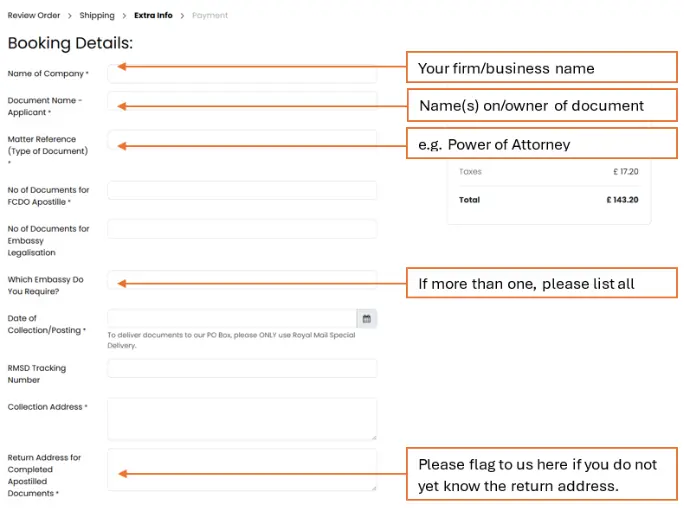
Complete the remainder of the booking form:
For visa and passport bookings, please fill out the applicable fields in the remainder of the booking form. Any fields which are not relevant for a visa booking, simply fill in with N/A (not applicable) as we will be in touch with you soon to discuss your exact needs.
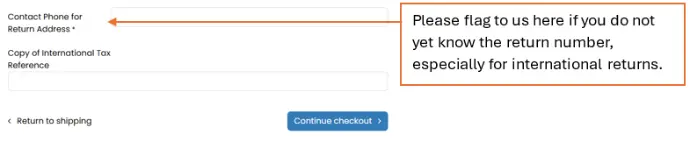
Click the 'Continue checkout' button to finalise your booking.
Checkout Process
Check your billing address is correct, accept the terms, and check out. You do not have to pay anything until we issue an invoice. You will see a thank you page with our bank details displayed, this does not mean you have to pay now.
Shortly after this, you
will receive an email confirmation of your booking in the following format. If
you wish to make changes, you can reply directly to this email.

FAQ:
No need to panic! Just message us as soon as you realise, either by replying to your booking confirmation email, or via email/Whatsapp. We’ll take care of the rest.
Please indicate this by leaving us a note in the field for the document return address.
Book for the minimum number you’re sure of, and then tell us about any changes. We will update your booking for you.
You can contact us to check before placing an order. However, if things are urgent, submit your booking first so we can start planning, then send us a message about the resulting quotation with some details. We will be ready to assist you at all times.
Simply increase the number of ‘FCDO Apostilles’ and ‘Elite Service Speed’ you add to your cart to match the number of documents you have.
You can either submit two (or more) bookings, or send us a message with details of which document(s) should be processed at which speed(s).
Please call us as soon as possible. Cancellation charges may apply. It is not possible to cancel a booking once a document has been submitted to the FCDO for legalisation.
Send us details of what you would like to change via email or Whatsapp.
You will receive your confirmation
email within a few minutes of submitting your booking.
It’s best to call us or contact us via our website form, as requirements, processing times, and pricing vary quite widely depending on the traveller’s nationality, intended trip duration, intended destination, type of visa required etc. You can also make a booking online by selecting a Tourist Visa or Business Visa product on our booking page, and we will be in touch with a personalised quotation as soon as possible.